> This page is for Financial Rider Flow.
> For clean Markdown of any page, append .md to the page URL.
> For a complete documentation index, see https://infonite.dev/llms.txt.
> For AI client integration (Claude Code, Cursor, etc.), connect to the MCP server at https://infonite.dev/_mcp/server.
# Widget Redirection & Completion
A Financial Rider session lets you control where your customer's browser goes once they finish in the widget — or leave it. This is done with completion settings when the session is created.
> **Note**
>
> **A redirect moves your customer's browser, not your data.** It reaches your *web page*, not your backend, it carries no records, and it does not happen at all if your customer closes the tab instead of finishing. The results reach you the [other two ways](/guides/webhooks#synchronous-and-asynchronous): a [webhook](/flows/financial-rider/webhooks) our servers send to yours, or polling the session.
When a session ends, two separate things happen, in two separate places:
```mermaid
flowchart TB
subgraph BROWSER["This page — in the end user's browser"]
direction LR
U["The person finishes
in the widget"] -->|"redirect: the BROWSER navigates"| SITE["Your web page"]:::io
end
subgraph SERVER["The results — between our servers and yours"]
direction LR
IN["INFONITE"] -->|"HTTPS POST: the EVENT fires"| EP["Your webhook endpoint"]:::io
end
BROWSER ~~~ SERVER
classDef io stroke-width:1.5px
```
So use both: the redirect to put the person back where they belong, and the webhook to find out what came back. And keep their settings apart — the completion URL is per session, the [webhook endpoints](/console/webhooks) are configured once on the application.
---
## Redirection Settings
When calling [Create Session](https://infonite.dev/flows/financial-rider/api-reference/financial-rider-api/sessions-management/flows-financial-rider-v-1-session-create), you can customize redirection behaviors under the `settings` object using the following parameters:
* `completion_mode`: What the widget does at the end — stay on its final screen, redirect in the same tab, or open a new one: the [three modes](#completion-modes).
* `completion_url`: The destination URL to navigate to (required if redirecting). Supports dynamic template variables in the URL path — the query string is built separately, from `completion_extra_data`.
* `completion_extra_data`: A dictionary of key-value pairs. All keys and values are automatically serialized into query parameters and appended to the final redirect URL. Values in this dictionary support dynamic template variables.
> **Warning**
>
> **An unregistered `completion_url` fails the session, not the redirect.**\
> To prevent open-redirect vulnerabilities, the `completion_url` must match one of the URLs registered on your application. It is checked when the session is created: [Create Session](https://infonite.dev/flows/financial-rider/api-reference/financial-rider-api/sessions-management/flows-financial-rider-v-1-session-create) answers `400 redirect_url_not_allowed_by_app` and **no session is created at all**. So this is something you configure once, before your first redirecting session — not something a user discovers by never coming back. [Where to register them](#where-to-register-them).
---
## Where to register them
#### Open your application's settings
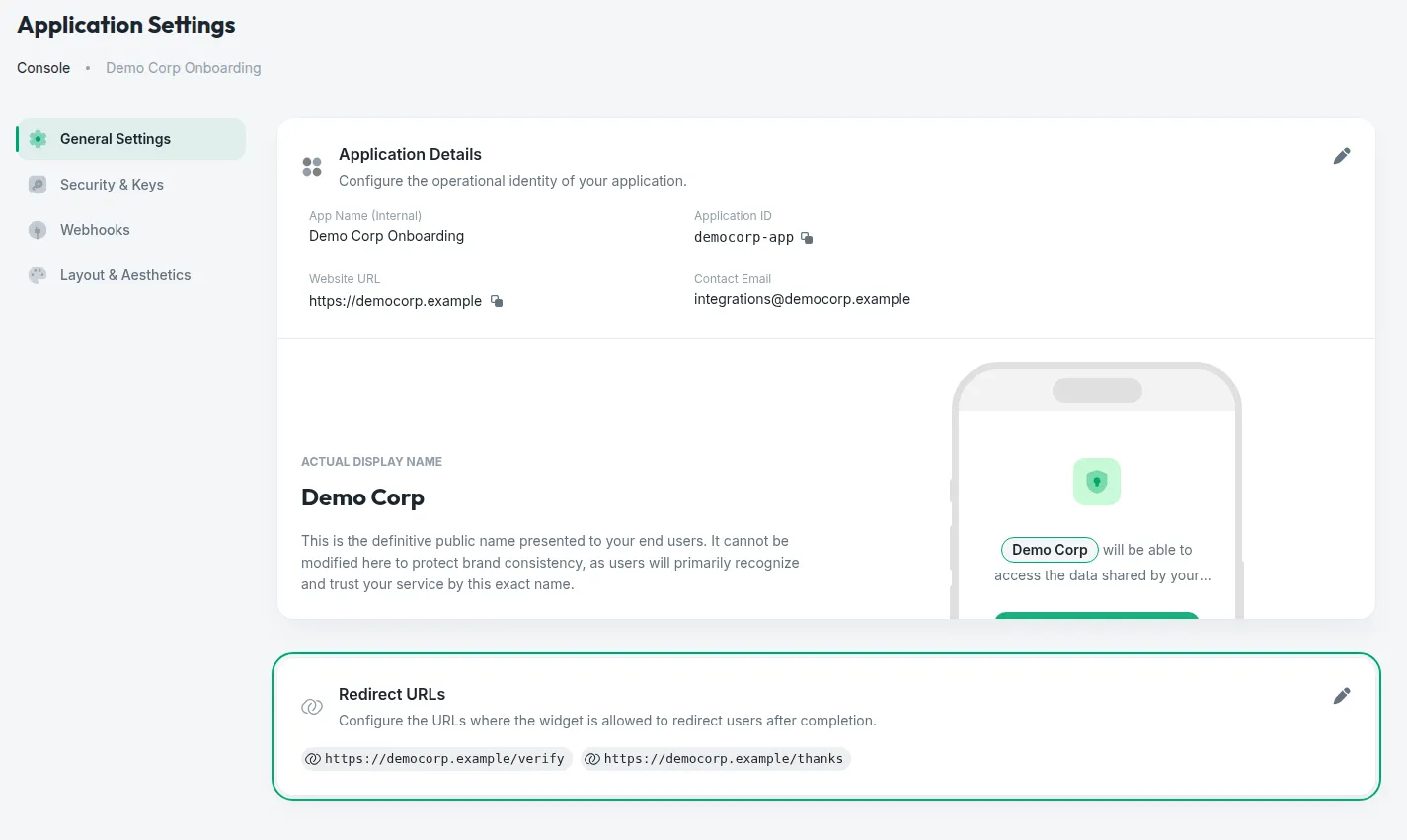
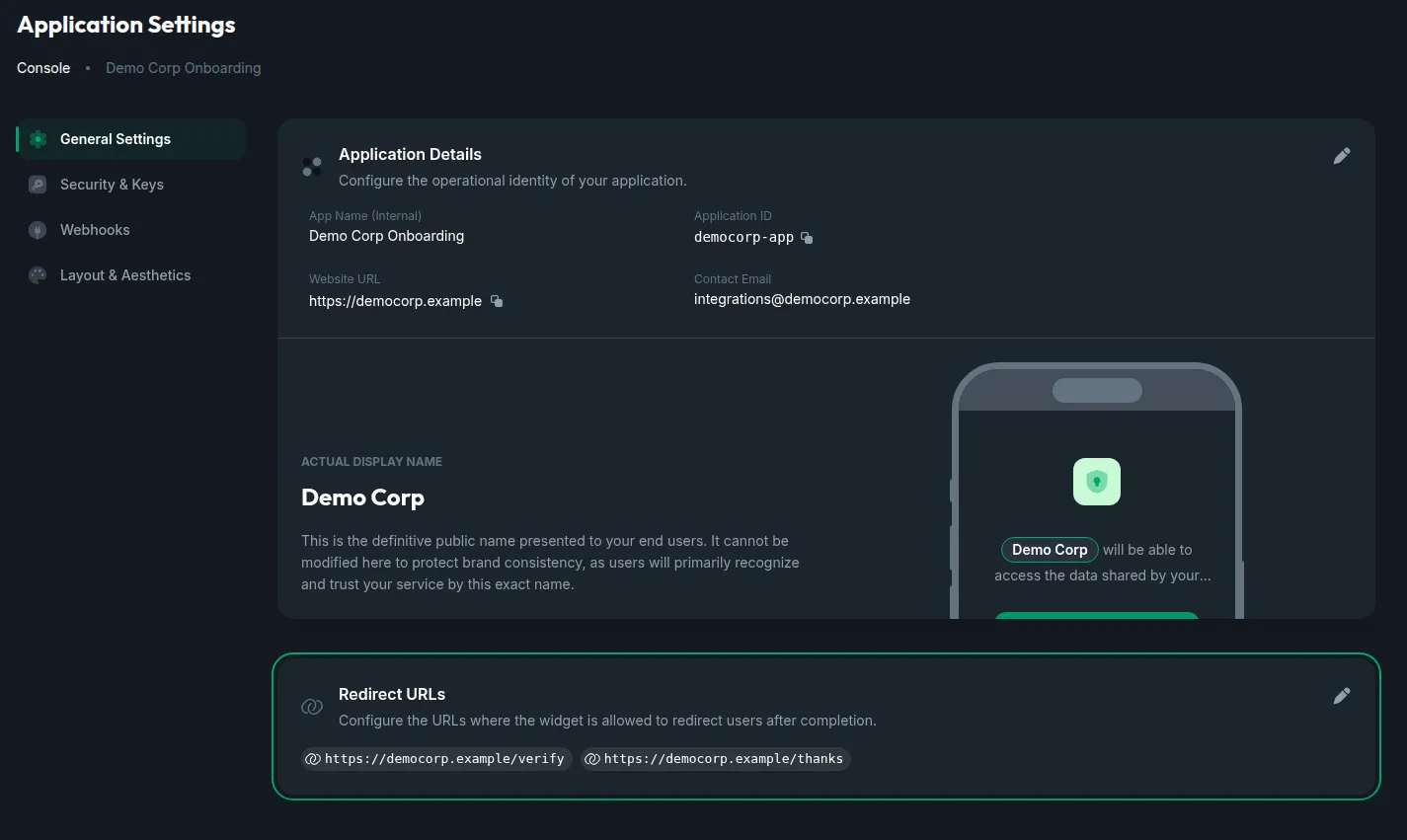
Console → your application → [**App Settings**](https://www.infonite.tech/console/app-settings/) → the **General Settings** tab. The **Redirect URLs** card sits under the application's details, and the URLs registered right now are listed on it.
#### Add the URLs the widget may send people back to
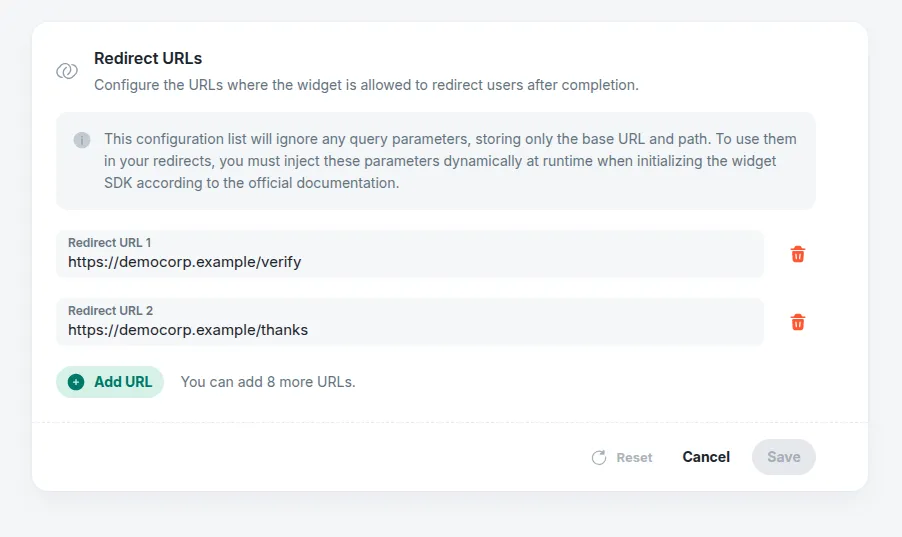
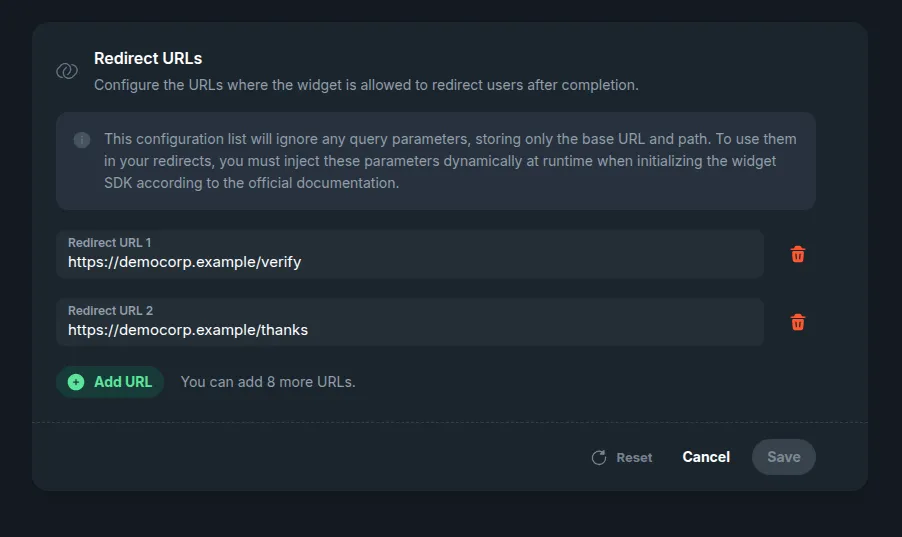
The pencil opens the card for editing. **Add URL** adds a field, the bin removes one, and **Save** commits the list — up to **10 URLs** per application.
### What is stored, and how it is matched
* **The query string is dropped on the way in.** `https://portal.mycompany.com/verify?token=123` is stored as `https://portal.mycompany.com/verify`. That is deliberate: a real redirect's query is built at runtime from `completion_extra_data`, so it cannot be known here — and pinning it would make every session fail.
* **The match is the origin, then a prefix of the path.** A `completion_url` is allowed when it has the **same scheme, host and port** as one of the registered entries and its path **starts with** the entry's path. That lets the runtime query string through, and the path is the knob for how wide you open the door: `https://portal.mycompany.com` allows every URL on that host, while `https://portal.mycompany.com/onboarding/` allows only that branch. A host that only starts like a registered one — `https://portal.mycompany.com.example.org` — is another host, and is refused. Register the narrowest prefix that covers your flows.
* **Only `http` and `https`, and the URL must carry a host.** A URL that is not one of those two schemes is refused when you save it.
* **The same list serves every flow.** The redirect URLs belong to the application, so a URL registered for another flow already works here.
* **A third-party destination is a redirect URL too.** The [WhatsApp examples](#redirecting-to-whatsapp) below send the person to `https://wa.me/…`, which means `https://wa.me/` has to be on this list like any other destination.
---
## Completion Modes
You can specify how the widget behaves upon exit by setting `completion_mode` to one of the following values:
| Mode | Behavior | Description |
| :--------------- | :---------------------- | :------------------------------------------------------------------------------------------------------------------------------------------------------------------------------------------------------------------------- |
| `do_nothing` | Remains on final screen | The widget stops at its final screen, and your customer closes the window or tab. Embedded in an iframe, your page hears the [`financial-rider:ended` message](#iframe-postmessage-events) and can close the frame itself. |
| `redirect` | Redirects current tab | After a few seconds' countdown on the final screen, the widget navigates to the `completion_url` in its own window. **Inside an iframe, that is the iframe**, not your page. |
| `redirect_blank` | Opens a new tab | After the same countdown, the widget opens the `completion_url` in a new tab with `window.open(..., '_blank')`. |
Either way, the final screen keeps a link to the `completion_url`, for when the browser does not follow the redirect.
> **Tip**
>
> **Prefer `redirect` over `redirect_blank`**\
> Modern web browsers restrict scripts from automatically opening new tabs (`window.open(..., '_blank')`) unless triggered by a direct user action (like a click). Since widget redirection is automatic upon flow completion, browsers might block `redirect_blank` as a popup.
> **Tip**
>
> **In an iframe, leave the redirect to your page**\
> A redirect navigates the widget's own window, so inside an iframe only the frame moves — and many destinations refuse to be shown in one: WhatsApp, for instance. Set `completion_mode` to `do_nothing` and move your page yourself when the [`financial-rider:ended` message](#iframe-postmessage-events) arrives.
---
## Dynamic Query Parameters & Templating
The template variables can be used in two ways:
1. **Directly in the URL**: Interpolated within the `completion_url` string, in the URL **path**.
2. **In Extra Data values**: Interpolated inside the values of the `completion_extra_data` dictionary.
Additionally, the `completion_extra_data` dictionary is **automatically converted to query parameters** and appended to the final URL.
> **Note**
>
> **Do not put a query string on `completion_url` — it is dropped.** The URL is stored without it, exactly as [registered redirect URLs are](#what-is-stored-and-how-it-is-matched), and the final query is assembled from `completion_extra_data` alone. Everything you want in the query goes there.
### Available Template Variables
* `{app_id}`: The unique identifier of your application.
* `{customer_id}`: The customer ID associated with the session.
* `{session_id}`: The widget session ID.
* `{status_code}`: The final status code of the session (e.g. `COMPLETED`).
### Example Parameter Mapping
The settings below are shown alone: in a real request they sit inside `settings` beside the rest of the session's configuration — the banks to offer and the features to read.
```json
{
"customer_id": "cust_esp_202406",
"settings": {
"completion_mode": "redirect",
"completion_url": "https://your-server.com/onboarding/{customer_id}/verify",
"completion_extra_data": {
"session": "sess_{session_id}",
"status": "{status_code}",
"source": "widget_flow"
}
}
}
```
The template variables are resolved and the dictionary is serialized into query parameters, redirecting the user to:
```http
https://your-server.com/onboarding/cust_esp_202406/verify?session=sess_644599da47847b79c03cc94f&status=COMPLETED&source=widget_flow
```
> **Warning**
>
> **Data Security Warning**\
> All redirect parameters, whether interpolated directly in the `completion_url` path or passed via the `completion_extra_data` dictionary, are exposed in the final browser URL query string. This makes them visible in browser history, network logs, and referrer headers. **Never** pass sensitive personal data (such as names, emails, phones, IBANs or DNI numbers) as template variables. Use generic identifiers like `{session_id}` and fetch the results securely on your backend.
---
## Real-World Examples
Each example shows the redirect settings alone: in a real [Create Session](https://infonite.dev/flows/financial-rider/api-reference/financial-rider-api/sessions-management/flows-financial-rider-v-1-session-create) request they sit inside `settings`, beside the banks to offer and the features to read. Any destination works the same way, a third party's included, as long as it is [registered](#where-to-register-them).
#### Return to Host App (CRM / Portal)
Redirect the user back to your customer portal, passing the session status and customer ID to automatically refresh their application state:
```json
{
"customer_id": "cust_esp_202406",
"settings": {
"completion_mode": "redirect",
"completion_url": "https://portal.mycompany.com/onboarding/verify",
"completion_extra_data": {
"session_id": "{session_id}",
"customer": "{customer_id}",
"status": "{status_code}"
}
}
}
```
**Resulting URL:**\
Assuming a session with ID `644599da47847b79c03cc94f`, customer ID `cust_esp_202406`, and status code `COMPLETED`, the final resolved URL is:
```http
https://portal.mycompany.com/onboarding/verify?session_id=644599da47847b79c03cc94f&customer=cust_esp_202406&status=COMPLETED
```
### Redirecting to WhatsApp
A WhatsApp chat is a destination like any other: the session ends on it, with a message already written for your number — the session ID in it, so whoever answers knows which session is writing. WhatsApp offers two addresses, and either one has to be [registered](#where-to-register-them) first.
#### WhatsApp Short URL (wa.me)
The modern way to open a WhatsApp chat is `https://wa.me/<>`, with the number in international format, digits only. A message can be written in advance in the `text` query parameter — the session ID in it tells whoever answers which session is writing:
```json
{
"customer_id": "cust_esp_202406",
"settings": {
"completion_mode": "redirect",
"completion_url": "https://wa.me/34600000000",
"completion_extra_data": {
"text": "I want to apply for my loan. Session ID: {session_id}"
}
}
}
```
**Resulting URL:**\
The template variables are resolved, and the dictionary's keys and values are URL-encoded and appended — spaces as `+`, which WhatsApp reads as spaces. For a session with ID `644599da47847b79c03cc94f`, the final resolved URL is:
```http
https://wa.me/34600000000?text=I+want+to+apply+for+my+loan.+Session+ID%3A+644599da47847b79c03cc94f
```
It needs `https://wa.me/` among the application's redirect URLs.
#### WhatsApp Legacy Endpoint
The legacy WhatsApp endpoint (`https://api.whatsapp.com/send`) takes the phone number in `completion_extra_data` too, with the language and the message:
```json
{
"customer_id": "cust_esp_202406",
"settings": {
"completion_mode": "redirect",
"completion_url": "https://api.whatsapp.com/send",
"completion_extra_data": {
"phone": "34600000000",
"l": "en",
"text": "I want to apply for my loan. Session ID: {session_id}"
}
}
}
```
**Resulting URL:**\
For a session with ID `644599da47847b79c03cc94f`, the query parameters are serialized, URL-encoded and appended:
```http
https://api.whatsapp.com/send?phone=34600000000&l=en&text=I+want+to+apply+for+my+loan.+Session+ID%3A+644599da47847b79c03cc94f
```
It needs `https://api.whatsapp.com/send` among the application's redirect URLs.
> **Note**
>
> **WhatsApp opens in the person's browser or app, never inside a frame.** If you embed the widget in an iframe, send the person to WhatsApp from your own page when the [`financial-rider:ended` message](#iframe-postmessage-events) arrives.
---
## Iframe postMessage Events
If you embed the widget inside an HTML `